
For UK players, accessing an online casino from a phone, tablet, or computer should be simple, secure, and convenient. Bilucky Casino is designed to work through modern web browsers, giving users access to casino games without necessarily requiring a traditional desktop installation. Depending on your device, you may be able to use the website directly or create an app-style shortcut for faster access.
This guide explains how to download Bilucky Casino on different devices, how to check compatibility, and what UK players should know before registering, depositing, or claiming a promotion such as the bilucky casino no deposit bonus.
Is Bilucky Casino Available as a Downloadable App?
Many online casinos do not require a conventional application downloaded from an app store. Instead, they use a mobile-optimised website or a progressive web app. This means that the casino can open in your browser and may also be added to your device’s home screen.
Before downloading anything, check the official Bilucky Casino website. Avoid unofficial APK files, third-party download pages, and links sent through unknown social media accounts. The safest method is to begin with the casino’s verified website and follow the instructions displayed there.
How to Access Bilucky Casino on an Android Phone
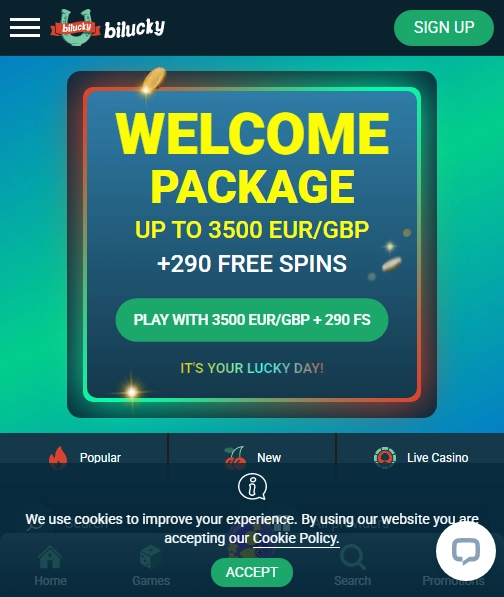
Using a mobile browser
- Open Google Chrome or another trusted browser on your Android phone.
- Enter the official Bilucky Casino web address manually or use a verified link.
- Wait for the mobile version of the website to load.
- Select Register or Log in, depending on whether you already have an account.
- Accept only the permissions and cookies that you are comfortable with.
The mobile website should automatically adjust to the screen size. If menus or game windows do not display correctly, update your browser, clear cached data, or try another reputable browser.
Adding Bilucky Casino to the home screen
Android users can often create a shortcut that looks and behaves similarly to an app:
- Open Bilucky Casino in Google Chrome.
- Tap the three-dot menu in the upper-right corner.
- Choose Add to Home screen or Install app, if that option appears.
- Confirm the name and tap Add or Install.
An icon should then appear on your home screen. Tapping it will open the casino website or its progressive web app. This approach avoids downloading software from an unknown source while still providing quick access.
How to Use Bilucky Casino on an iPhone or iPad
Apple devices generally provide access through Safari. Unless Bilucky Casino publishes an official application in the UK App Store, the browser version is usually the most practical option.
- Open Safari on your iPhone or iPad.
- Visit the official Bilucky Casino website.
- Log in or complete the registration process.
- Tap the Share button at the bottom of the screen.
- Scroll down and select Add to Home Screen.
- Tap Add to confirm.
The new icon provides a shortcut to the casino. You may need to log in again if your session expires, particularly after clearing Safari data or restarting the device.
Using Bilucky Casino on a Windows or Mac Computer
A computer normally does not need a separate casino download. Open a current version of Chrome, Firefox, Safari, Edge, or another supported browser and navigate to the official website.
For convenience, you can save the page as a bookmark. On Windows, press Ctrl+D; on a Mac, press Command+D. Some browsers also allow you to install a website as a desktop application through the address-bar menu. Only use this function when it is offered by the official website or your trusted browser.
Before playing, make sure your computer has current security updates and reputable antivirus protection. Never disable security features merely to install a casino file.
Device Compatibility and Technical Requirements
| Device | Recommended access method | Useful checks |
|---|---|---|
| Android phone | Chrome browser or home-screen installation | Updated Android version, stable internet connection |
| iPhone or iPad | Safari browser or home-screen shortcut | Updated iOS or iPadOS, enabled JavaScript |
| Windows PC | Chrome, Edge, or Firefox | Current browser, security updates |
| Mac | Safari, Chrome, or Firefox | Current macOS and reliable Wi-Fi |
Casino games may use video, animation, and sound, so a stable connection is more important than unusually high download speed. If a game freezes, close other bandwidth-heavy applications and reload the page.
Registration and Account Verification
After opening Bilucky Casino, select the registration option and provide accurate information. UK players may be asked for their name, date of birth, address, email address, and telephone number. The information should match your identity documents and payment details.
Online casinos can request verification documents before withdrawals are processed. Typical documents include a government-issued identity document, proof of address, and occasionally confirmation of payment ownership. Upload documents only through the casino’s secure account area, not through ordinary email or an unknown messaging service.
Players must meet the applicable age requirement and should review the operator’s licensing information, terms, privacy policy, and responsible gambling tools before playing for real money.
Deposits, Bonuses, and Withdrawals
Once your account is verified, the cashier section should show the payment methods available to you. Options can vary according to location and account status. Before making a deposit, check minimum and maximum limits, processing times, possible fees, and any wagering conditions connected with a bonus.
Promotions can include welcome offers, free spins, cashback, or a bilucky casino no deposit bonus. A no-deposit offer does not automatically mean that winnings can be withdrawn without conditions. Read the eligibility rules, game restrictions, maximum cash-out limits, expiry period, and verification requirements carefully.
For withdrawals, use an account or payment method registered in your own name. Keep confirmation emails and transaction references until the payment has arrived.
Questions and Answers
Do I need to download an APK to use Bilucky Casino?
Usually not. If the official website is mobile-friendly, you can play directly through your browser. An APK should only be considered when it is clearly provided by the verified operator and is compatible with your device.
Can I install Bilucky Casino from Google Play or the App Store?
Availability depends on the operator and current store policies. Search only within the official store and compare the publisher information with the casino’s website. If no verified application is listed, use the mobile website instead.
Why is the casino not loading on my phone?
Check your connection, restart the browser, update the device software, and clear cached data. You can also try a different approved browser. If the problem continues, contact official customer support and provide details about your device and browser.
Can I use the same account on several devices?
In many cases, one account can be accessed from a phone, tablet, and computer. Do not create duplicate accounts unless the casino specifically permits them. Use strong, unique login credentials and enable additional security features when available.
Is it safe to save my password on a shared device?
No. Avoid saving passwords on public or shared devices. Always log out after playing, particularly when using a workplace computer, hotel tablet, or someone else’s phone.
Safe Download and Playing Checklist
- Start from the official Bilucky Casino website.
- Check that the address bar shows a secure connection.
- Avoid unofficial APK files and altered applications.
- Keep your operating system and browser updated.
- Use a private device and a secure internet connection.
- Read bonus terms before accepting an offer.
- Set deposit, loss, or session limits where available.
- Never gamble with money needed for essential expenses.
Final Review
Downloading Bilucky Casino is generally a matter of opening the official website rather than installing a large desktop program. Android users may add the site to their home screen or install a verified progressive web app, while iPhone and iPad users can create a Safari shortcut. Computer users can access the casino through a modern browser and save it as a bookmark.
For players in the United Kingdom, security, identity verification, payment rules, and responsible gambling should be considered before playing. Use official sources, inspect promotional conditions, and treat any offer—including a bilucky casino no deposit bonus—as subject to specific terms. With these precautions, accessing the casino from your preferred device can remain straightforward and controlled.